But the kernel did not load after reboot. Reverting /boot/config.txt didn't help.
Then I downloaded a Debian image and replaced only the boot partition of the micro SD card. This time the kernel was able to boot, but it couldn't load the filesystem.
I modified cmdline.txt, replaced "root=LABEL=RASPIROOT" with "root=/dev/mmcblk1p2", such that the kernel was able to load the filesystem. But a new error appeared: Cannot open access to console, the root account is locked.
At this point I found the process no longer fun, because it was such a pain to modify anything in the boot partition (power off Raspberry Pi, unplug the micro SD card and plug it into a PC, edit, unplug the micro SD card and plug it into Raspberry Pi, power on Raspberry Pi).
Eventually I just installed formatted the micro SD card, installed the Debian image and reconfigured the system. It was actually not slower than the in-place process.
I'd the say the ubuntu-deluxe script works pretty well. Most of the time I was just dealing with the difference between both distos (e.g. config files). Later I learned that the Ubuntu and Debian images used different methods for booting up Raspberry Pi.
So theoretically it is possible to migrate from Ubuntu to Debian inplace. In fact there is a debtakeover script, which allows migrating to Debian from many other distros. On the other hand, normally it might make more sense to just reinstall the system.
Thanks to Youtube's algorithms, I got to watch this video again after many years. The video, made in 1994, explains the sphere eversion problem and visualizes one solution: Thurston's corrugations. More information can be found in the following links: 1, 2, 3. There is also an HD version.
The animations in the video are really fascinating. I figured it'd be a good excercise to recreate it with Blender, especially with geometry nodes. However I immediately got stuck after 20 minutes, because I had no clue how everything works.
Luckily I found a port of the original source code. (The original source code seems no longer available). The author also created a nice video. I'll refer this version as mathIsART's version. I also found another port, which I'll refer to as McGuffin's version.
Mostly I studied mathIsART's version, and occasionally used McGuffin's version as reference. The code was really fun to read, and I learned a lot. Here I'd like to summarize my learnings.
The Sphere
The most important thing I learned, is to parameterize everything. This allows a precise definition of the surface, and it also makes it easy to animate.
Each point on a sphere can be define by two angles: the latitude and the longitude. In mathIsART's code, phi describes the latitude, and theta describes the longtitude.
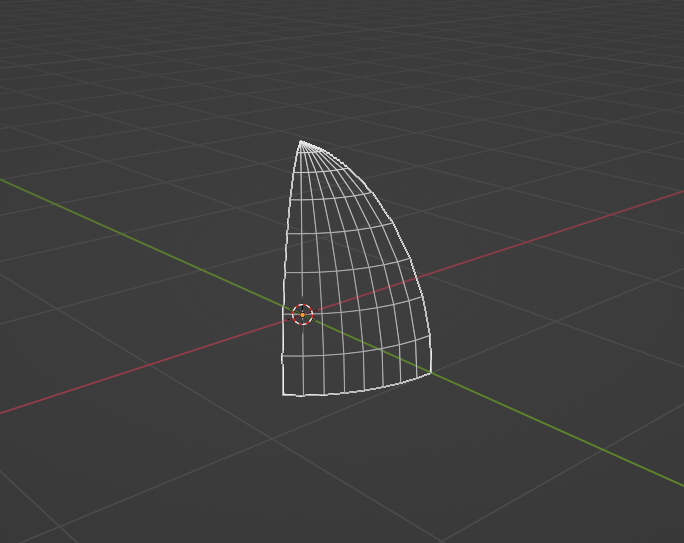
In blender, I'd start with a plane where both x and y values are in [0, 1], x and y will be mapped to phi and theta respectively. A subdivide modifer will give enough grid points and a set of geometry nodes can easily map the plane to the stripe. Clearly I only need to build a 1/8 sphere at the north hemisphere, the rest can be obtained by rotating the surface.
The Corrugation
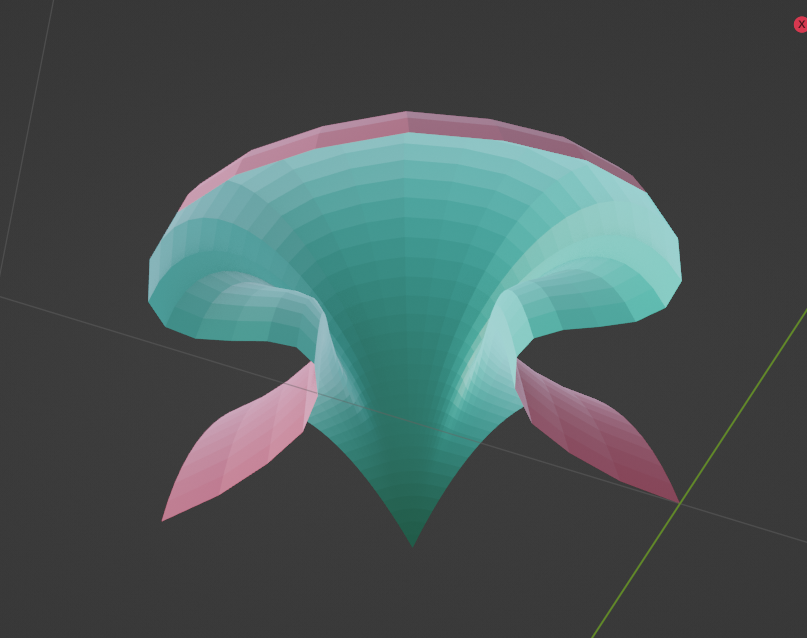
A jellyfish!
At each point we can compute the local partial derivatives, actually we only care about the directions, i.e. east and north, from which we can also compute the up direction, i.e. normal.
McGuffin's version implemented 2-order jets while mathIsART implemented only 1-order jets. Since it is annoying to add lots of math nodes in Blender, I only use plain vectors unless the derivatives are absolutely needed. After several rounds of simplification, it seems that this is the only place where we need the derivatives.
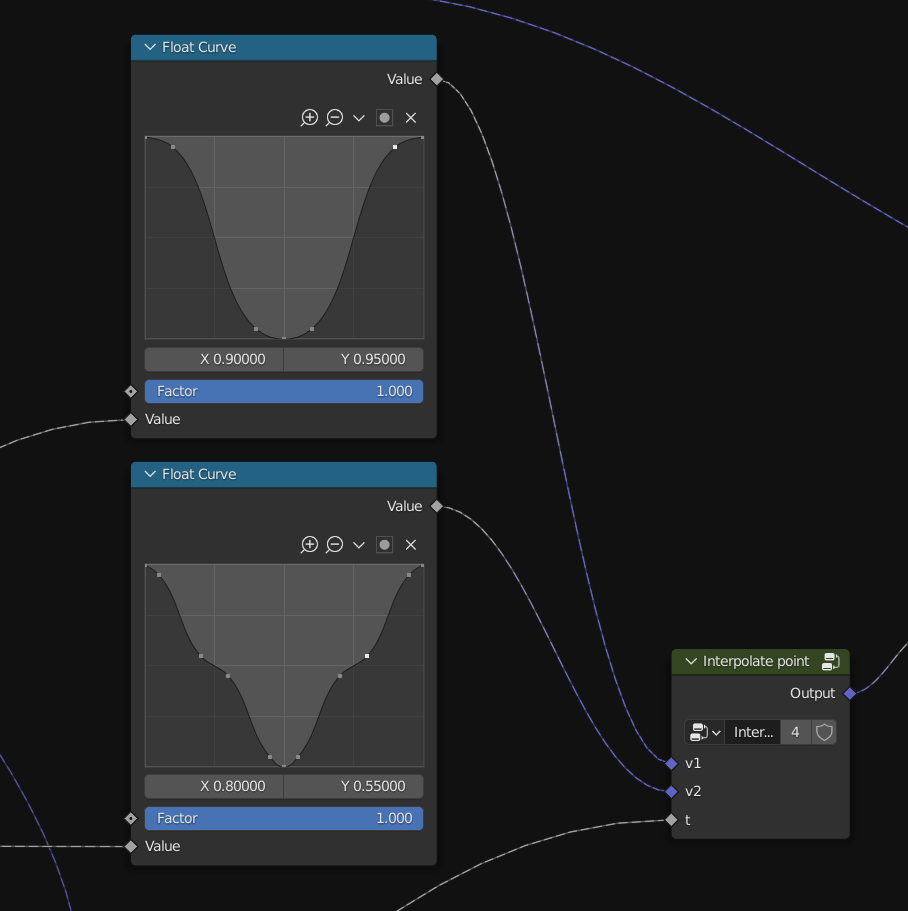
Corrugation is achieved by adding local offsets to each point, mathIsART's version uses all three directions, but I only used up and east. The offset on each direction is determined by a function of theta. The screenshot below shows the function for the up (or down) direction.
From mathIsART's code I can clearly see the trace of programming in 1990's. There are no complicated functions, yet specific curves/functions are obtained by multiple layers of interpolations. Today I got the luxury of the curve widget and instant rendering. I cannot imagine how I could implement it in 1995.
The size of the corrugation is a function of phi. Note that there is hardly any corrugation near the north pole. The piece looks like a squid:
The Push
A tabacco pipe!
This is one of the most inspiring things I learned from the code. At first I had no clue how to build this shape nicely, but the implementation was so short and elegant. It is a linear interpolation between two shapes, a positive sphere (actually a ellipsoid) and a negative sphere. The interpolation factor is a function of phi. Near the north pole (now being pushed to the south) it is the negative sphere and near the equator it is the positive sphere.
This is actually how Bezier curves work, but I never realized that we can do the same for 3d surfaces!
The Twist
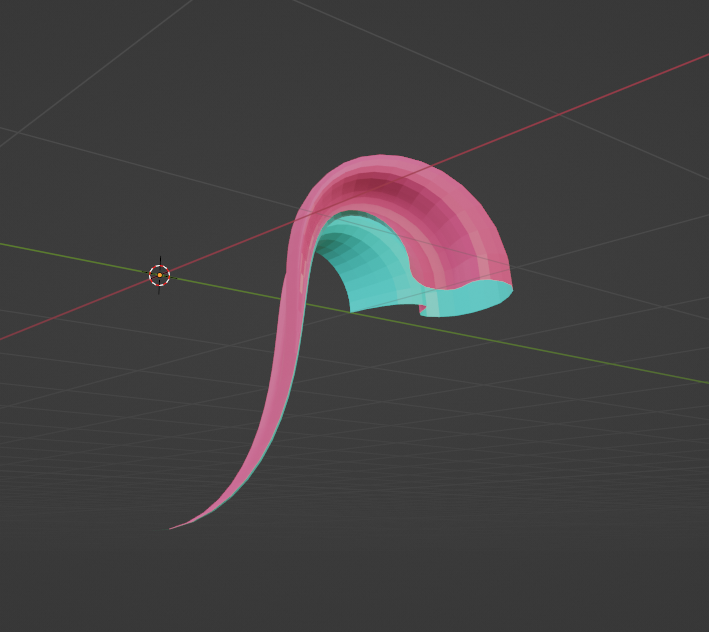
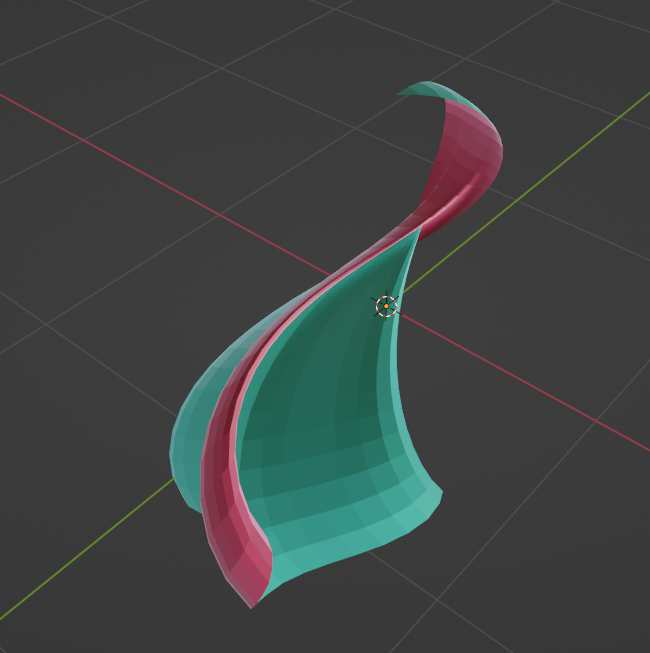
A cobra!
The twist is no longer a mystery, once I learned about the interpolation trick: we rotate the shape along different axes near the equator and near the north pole, and everything in the middle is an interpolation.
However there is still an interesting & confusing piece. Each point on the equator is locally rotated along with the axis that passes through that point and the sphere center. This could be quite counterintuitive at the first glance: does it mean the points are not moved at all? This is actually true if there is no corrugation, but the corrugation gives a local offset to the east or the west, the offset is a function of theta: size * sin(4 * PI * theta), where size is determined by phi.
When the offset is zero, the point is stable during the twist. There are 4 stable points on each stripe:
Interestingly, consider a point p1 on the equator that is near a stable point p2. Suppose p1 and p2 are respectively determined by theta1 and theta2, and let dt = theta1-theta2.
Now we have |p1-p2| ~= R*sin(dt) ~= R*dt
Because p2 is a stable point, sin (4 * PI * theta2) = 0, therefore the offset at p1 is:
size * sin(4 * PI * theta1) ~= size * 4 * PI * dt.
So the offset at p1 is linear to the distance between p1 and p2. This gives an illusion that p1 is rotating along with p2's axis (towards center), while p1 is actually rotating along its own axis (after applying the offset).
The Conclusion
Now the rest of the animation is more or less straightforward, just controlling all the parameters and add more interpolations.
Before making this animation, I only heard about "geometry nodes are powerful" but I have never tried them myself. I can confirm that they are indeed powerful and very easy to use. Thanks to Blender I can greatly simplify mathIsART's code:
- I don't need to worry about rendering at all. Blender takes care of everything.
- I don't need to implement something like "rotate along an axis", because there are already geometry nodes or modifiers for that.
- I can easily construct a function of a desired shape (e.g. using the curve widget), instead of trying to manually craft a magic function.
- Sometimes grid points phi (or theta) will not distribute evenly if a function is a applied. While 100% sure, I think mathIsART's code sometimes tries to migitate that by remapping phi, kind of like a timing function. However, I just ignore it and add more grid points. (Later I learned this is called arclength reparameterization)
By making this animation, not ony did I learned about parameterization, but I also refreshed my understanding of partial derivatives. What a journey!
Appendix: More about the Problem
There are many other solutions to this problem. Here is another elegant one: video, info, demo.
However, unfortunatlely I am not able to fully understand what's going on at the moment. Maybe I will try to take another look later.